Feature: Configure Environment Variables
Overview
Clario allows you to bring your own LLM credentials to the platform.
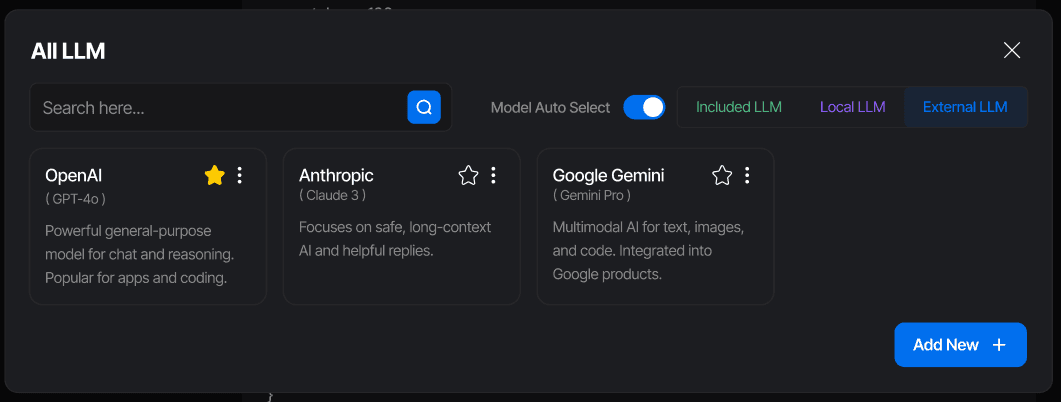
You can connect models from OpenAI, Anthropic, and Google Gemini, giving you full control over your environment and cost management.
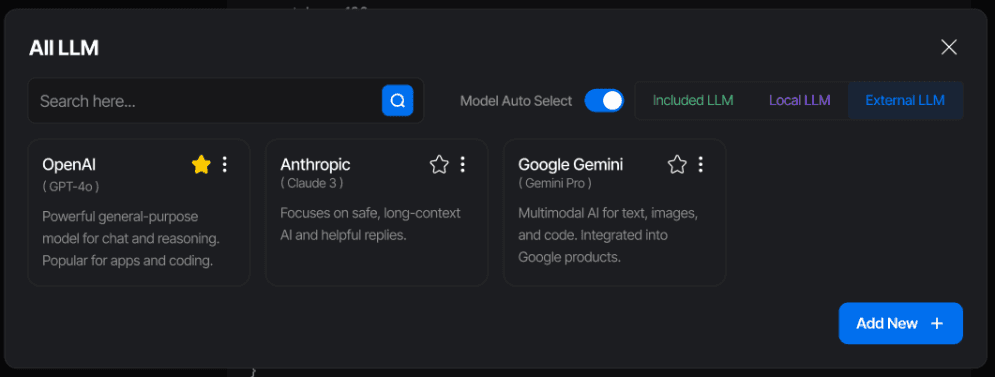
This feature lets you integrate directly with your preferred providers while continuing to use Clario’s agentic system, data tools, and workflows seamlessly.
Once configured, your environment variables determine which models your agents use to perform reasoning, analysis, and visualization.
Supported Providers
You can currently connect the following API providers:
OpenAI
Anthropic
Google Gemini
More providers will be added soon as Clario’s agent network expands.
How It Works
Access Environment Configuration
Open the settings panel and navigate to the Add External LLM section.Add Your API Key
Paste your API key for OpenAI, Anthropic, or Gemini in the corresponding field.
Each provider can be added independently.Save and Activate
Once added, your credentials are encrypted and stored securely in your workspace environment.
Activated providers instantly become available to all relevant agents and models.Start Using Your Models
After setup, your Clario agents automatically route tasks to your connected models based on your configuration and performance preferences.
Example Setup Flow
Open Clario Settings
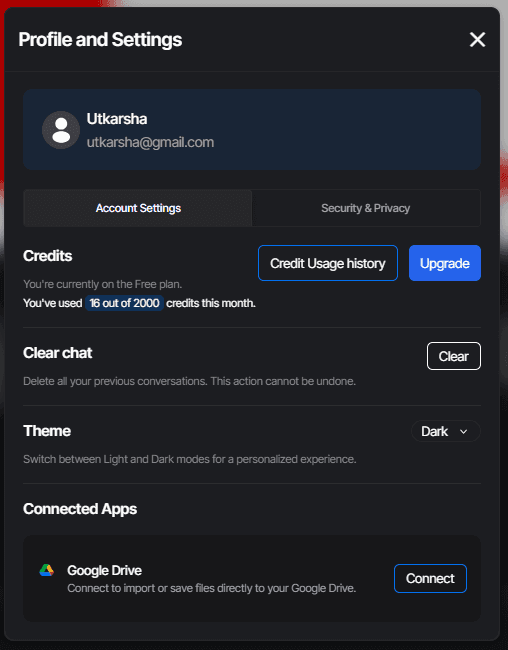
Select Add External LLM in Security & Privacy
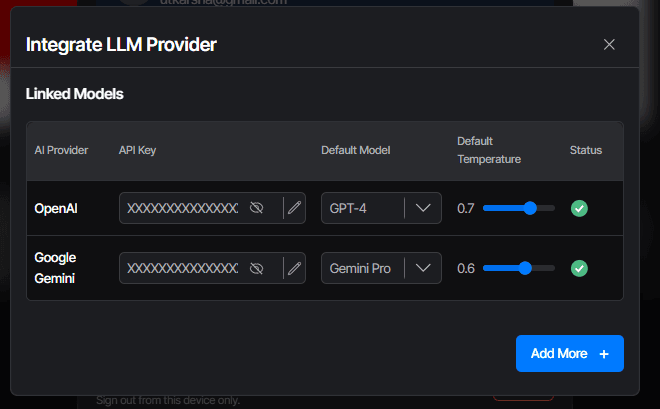
Add your keys
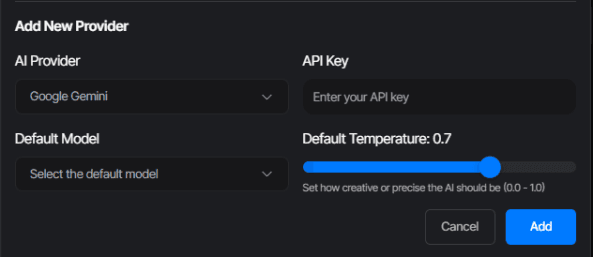
Save changes
Your connected LLMs are now available under the LLMs tab
Security and Privacy
Your API keys are encrypted and stored only within your project environment
Keys are never shared, logged, or used outside your workspace
All requests are made directly from your environment to the LLM provider
You retain full control over your tokens, costs, and usage limits
This ensures a secure and isolated connection to your preferred AI providers while keeping your data fully private.
Benefits
Full control over model selection and cost usage
Use Clario’s agentic features on top of your own LLM infrastructure
Combine multiple LLMs and switch between them anytime
Maintain enterprise-grade security and privacy
Keep flexibility as new providers and models are added
Summary
Configuring environment variables in Clario lets you bring your own LLMs while retaining the platform’s agentic capabilities.
By connecting APIs from OpenAI, Anthropic, and Gemini, you get the freedom to customize, scale, and optimize your workspace without compromising privacy or performance.
Clario adapts to your environment so your agents always run with the best models available.