Feature: File Uploads
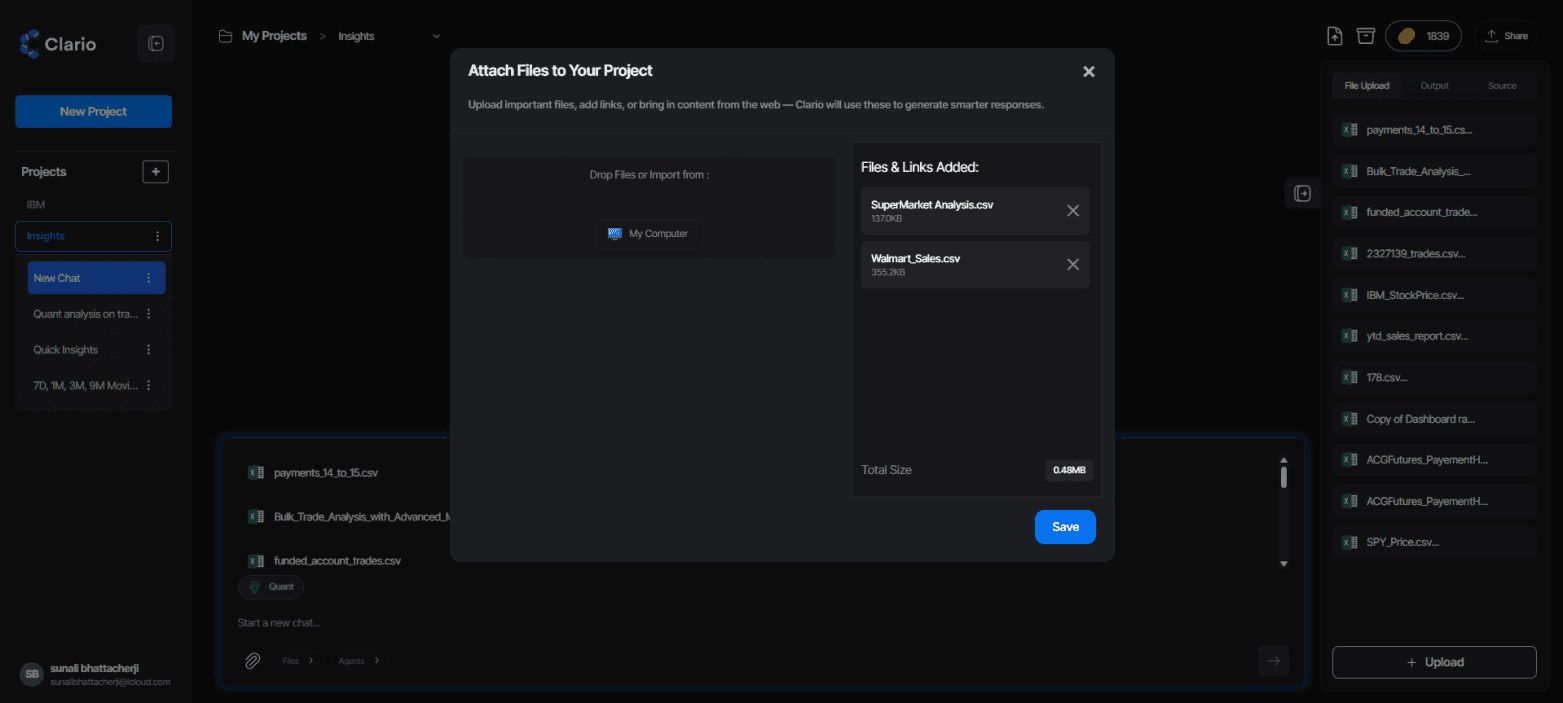
Attach files to your Clario project, your agents will use them to generate smarter insights.
Overview
Clario’s File Upload system is built for agentic and versatile data access.
Upload your documents, spreadsheets, or datasets directly into a project.
Clario’s agents then use only the relevant data from these files to generate insights and run analyses.
Your files become part of a secure, temporary context, powering responses and computations without ever leaving your workspace.
Data Privacy & Security
No Retraining or Retention:
Clario never uses your files to retrain any model. Uploaded data is used only within your current project context.
Scoped Data Use:
Agents extract and process only the necessary information for a query or computation, not the entire file content.
Project-Only Access:
Files are bound to your project. No external process or user can access them unless shared by you.
End-to-End Security:
Uploads are encrypted in transit and at rest, ensuring enterprise-grade security across all operations.
Cloud Connectors
In addition to local uploads, Clario supports direct imports from:
Google Drive
OneDrive
(More connectors coming soon: Dropbox, Notion, and others)
These integrations let you sync your existing data repositories directly into Clario for faster, agent-driven insights.
Contextual File Access with “@” Mentions
When typing inside the chat input, simply type @ to instantly bring up a list of all files in your current project.
This lets you:
Quickly reference or attach specific files to your query
Tell the agent exactly which dataset or document to use
Save time scrolling through file lists manually
Contextual File Access with “@” Mentions
When typing inside the chat input, simply type @ to instantly bring up a list of all files in your current project.
This lets you:
Quickly reference or attach specific files to your query.
Tell the agent exactly which dataset or document to use.
Save time scrolling through file lists manually.
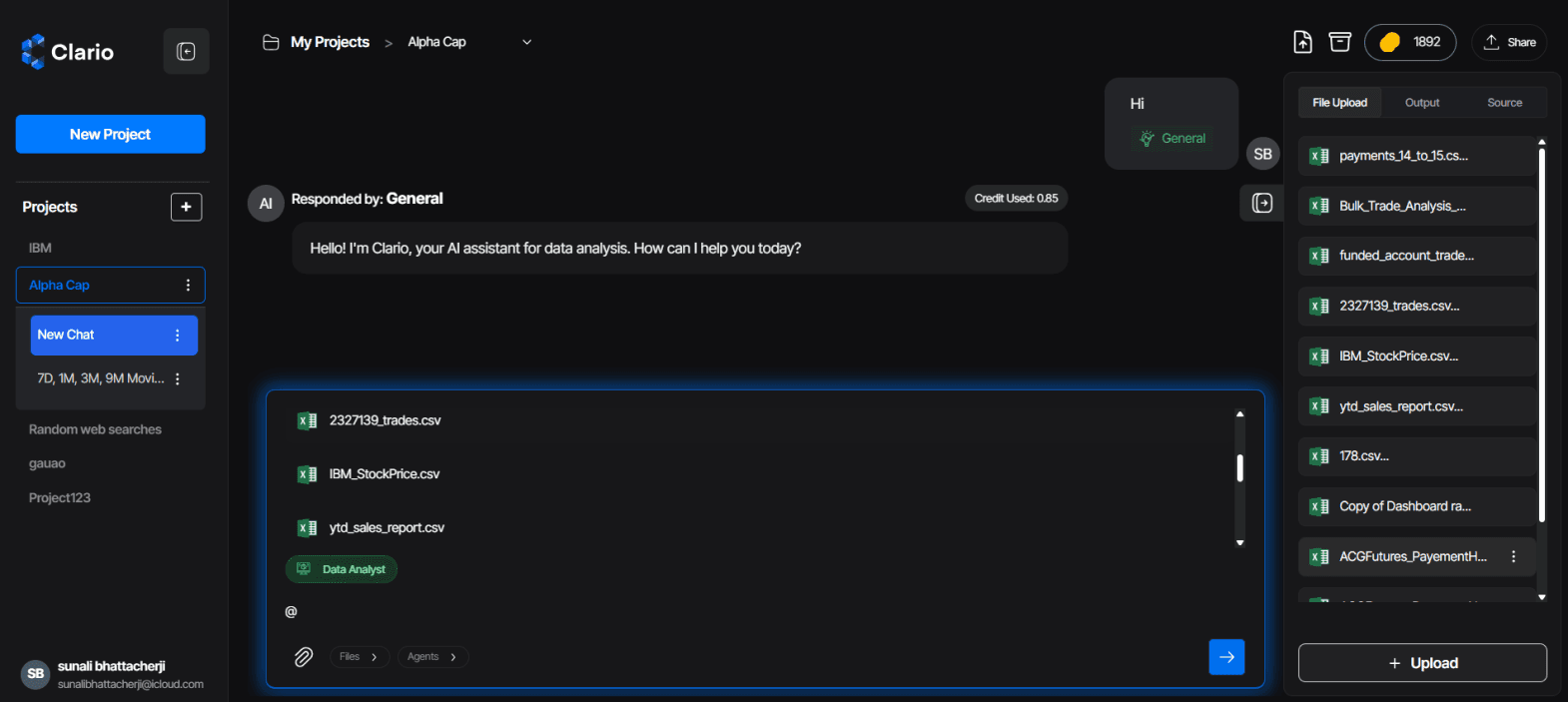
Use “@” to instantly access and tag files within your project.
Supported File Formats
Clario supports a broad range of file formats to ensure full workflow compatibility:
Type | Formats |
Documents | PDF, DOCX, TXT |
Datasets | CSV, XLSX |
Text Data | JSON, Markdown, Plain Text |
How It Works
Click Upload or Attach Files in your project
Drag and drop files or import them from your cloud connector
Clario’s agents parse metadata and relevant sections of your files for contextual understanding
Run queries, analyses, or visualizations, Clario automatically uses the right portions of your data
Why It’s Powerful
Agentic context awareness, agents access only relevant sections of your files for high-quality reasoning
Versatile data sources, mix datasets, documents, and text-based knowledge
Privacy-first architecture, no content stored, shared, or retrained
Seamless integrations, connect directly to your preferred cloud storage for faster setup
Tips
Upload data-rich files like reports, transaction sheets, or summaries for best insights
Use connectors for syncing recurring data sources instead of re-uploading
File names and structure help agents interpret context intelligently
Use
@mentions to quickly reference project files during chat
Summary
Clario’s File Uploads feature makes your workspace both agentic and secure.
It gives AI agents contextual access to only what’s needed, keeping your data private, your insights precise, and your workflow versatile across local and cloud-based sources.